Product · Free & Full
PurrView
A progressive web app for feral cat colony management—TNR tracking, health notes, daily roll-call visits, Make-A-Do plans, and team collaboration. Built for caretakers who work outside, often offline, and need a calm, reliable companion in the field. Start on Free (limited). Upgrade to Full when you need a team, more cats, or more than one colony.
Capabilities
What PurrView does
Cat registry
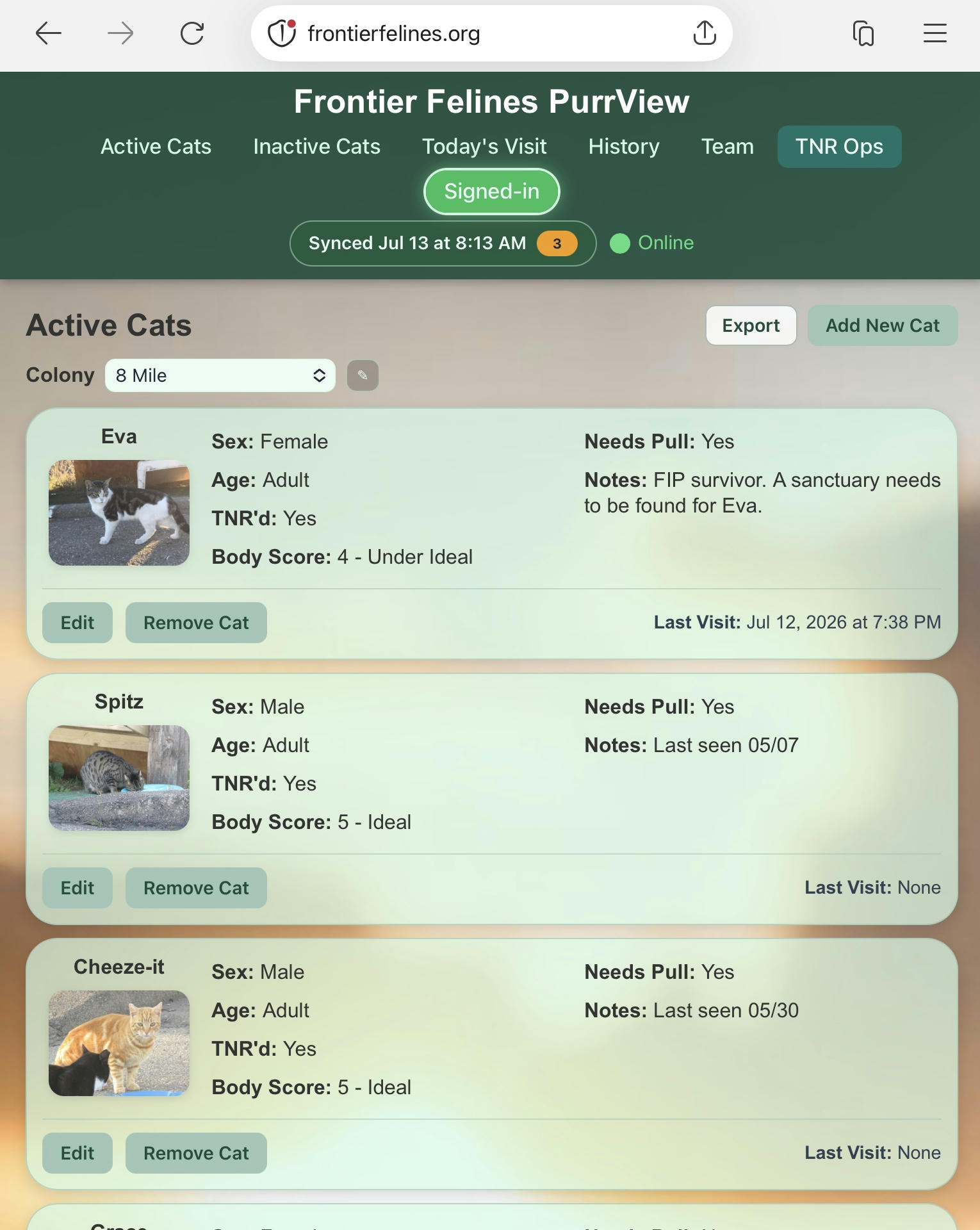
Add and edit cats with photos and health fields. Deactivate and reactivate without losing history.
Today’s Visit
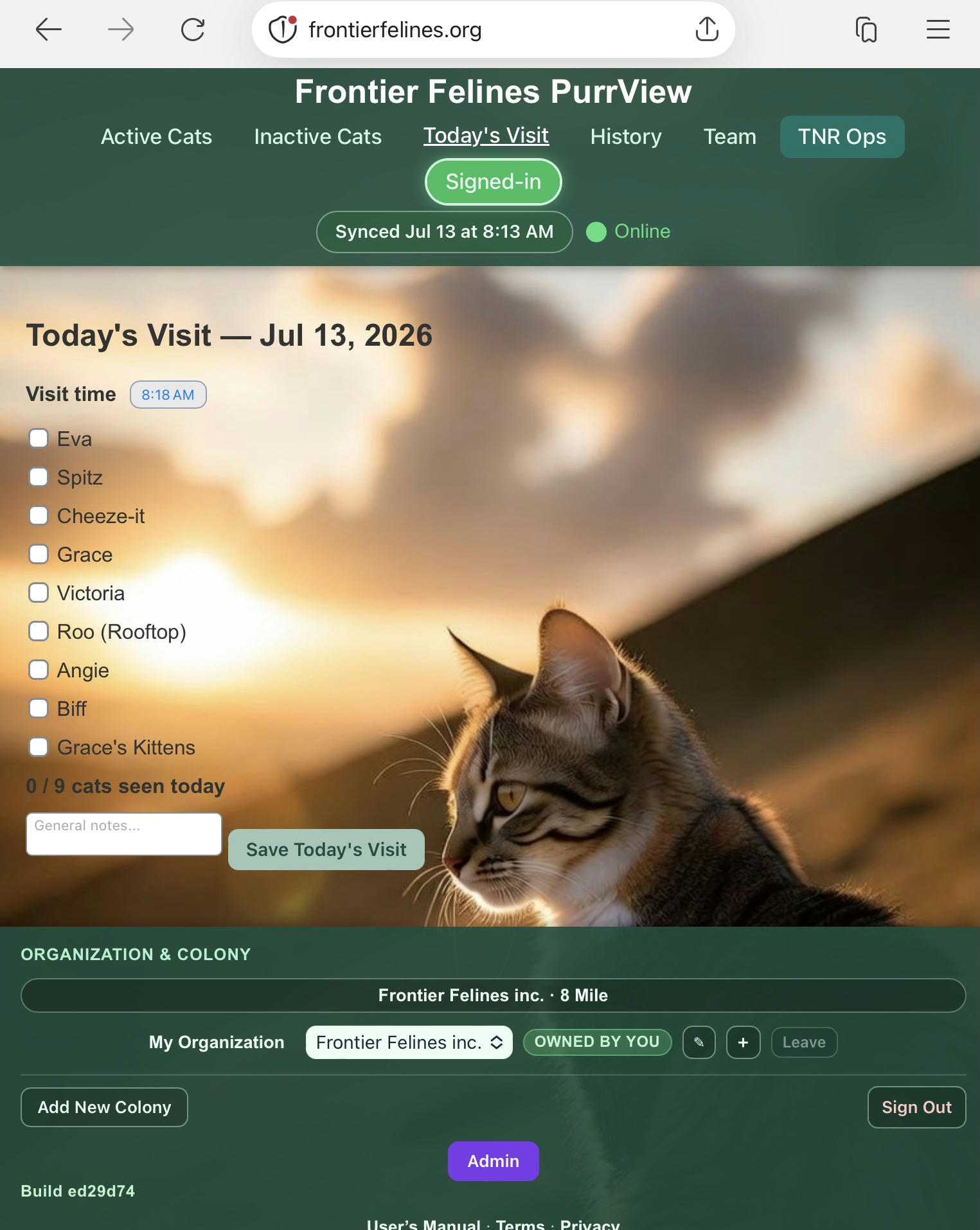
Daily roll call with notes. Real-time updates when teammates are online.
Make-A-Do
Committed work with a due date—treatments, supply runs, landlord follow-ups. Owners tap Make-A-Do; the Do list badges what’s overdue or due soon. Not a visit, not Needs Pull, not a team broadcast.
Offline-first
After a successful Sync Now on this browser, you can keep working from the device cache when signal drops—edit cats, save visits, switch cached colonies—then flush when you reconnect. Offline is per device, not a shared offline cloud.
Accounts & teams
On Full, one organization can manage multiple colonies. Owners invite members; everyone shares the same context. Free is owner-only with one active colony.
Team broadcasts
On Full: account-wide messages for coordinators—with live delivery online and queue support offline. Coverage (who is feeding) stays available on Free.
Sync Now
Manual flush, pending badge, conflict toasts, and structured logs when something needs attention.
CSV export
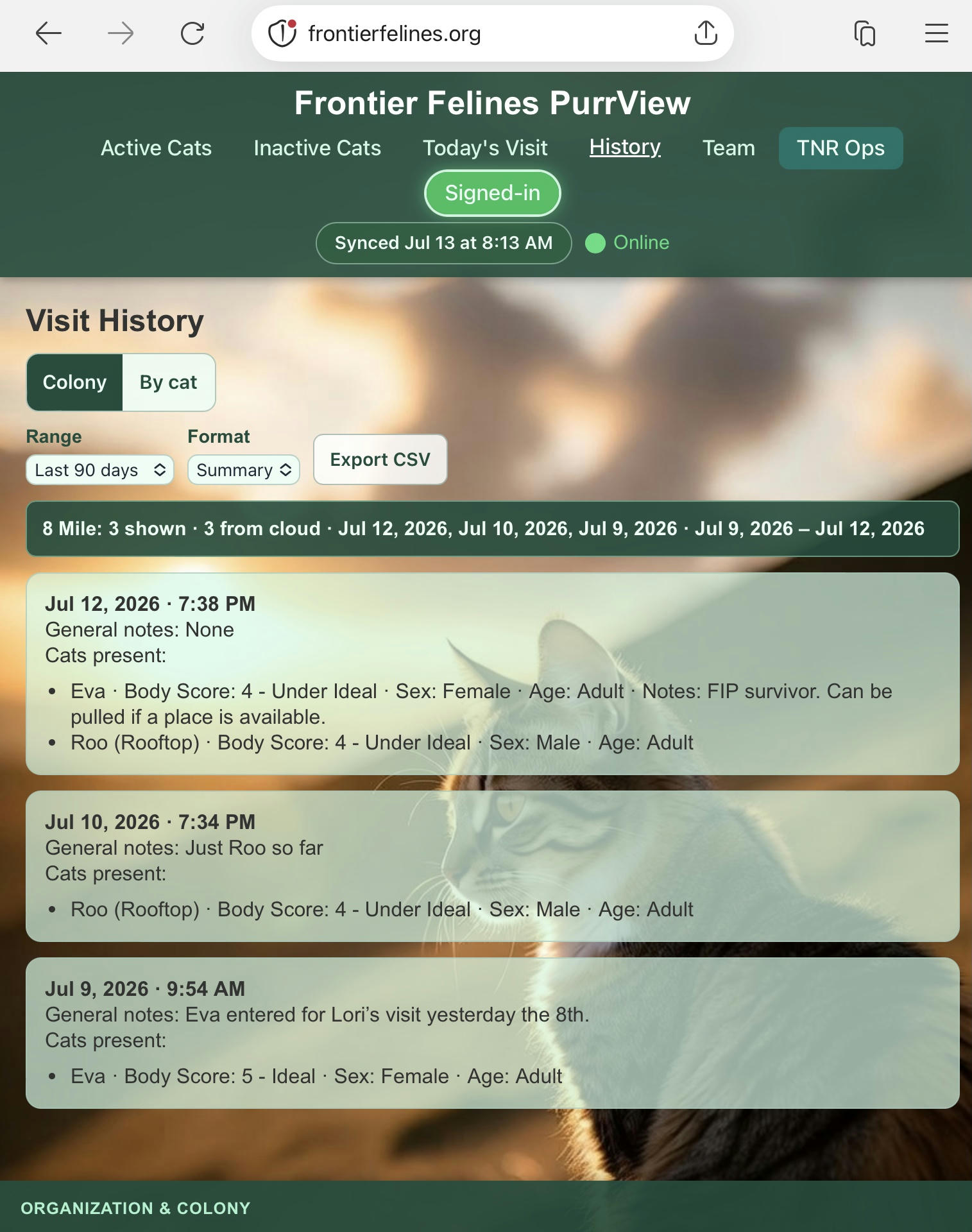
Download colony cat lists and visit history as CSV for reports, backups, or spreadsheets—while online.
Look & feel
Inside the app
A quick peek at the field UI. Opening the live app still needs an access code (or a team invite on Full) and sign-in—these screenshots show the everyday screens caretakers use on the phone.
Plans
Free and Full
New organizations start on Free. Upgrade to Full when you outgrow the limits. There is no public open signup—email us for a registration code either way.
Free
For a solo caretaker getting organized: one organization, one active colony, and up to 8 cats (TNR included—inactive cats still count). You get the registry, Today’s Visit, History, TNR Ops, Make-A-Do, photos, export, Coverage, and offline work. No team invites and no team broadcasts.
Around 6 cats you’ll see a reminder that Full is available. At 8, adding a new cat is blocked until you upgrade (editing and photos on the cats you already have still work).
Full
Unlimited cats and colonies, team invites (default 3 seats—ask us if you need more), and team broadcasts. Additional organizations are a Full add-on: you upgrade the first org you own, then email us if you need another.
If you already had a PurrView organization before this campaign, you stay on Full. We did not cap existing beta testers.
| Feature | Free | Full |
|---|---|---|
| Cats | Up to 8 in the organization (TNR included; inactive cats count) | Unlimited |
| Colonies | One active colony (you can archive it and start a replacement) | Multiple colonies |
| Team | Owner only — no invites | Invites (default 3 seats) |
| Broadcasts | Not included | Account-wide messages |
| Do, TNR Ops, visits, photos, export | Included | Included |
Getting access
Request a registration code
PurrView still uses access codes. Email us for a Free code to start a new organization. Teammates on a Full organization join later with a simple invite link (no access code needed).
- Request a code Email [email protected]. We’ll send an access code or a ready-to-use registration link.
- Create your account Open PurrView, choose Need an account? Register, then enter your email and a password (at least 8 characters), your organization name, and a colony name if you have one. Enter the access code when asked and tap Register.
- You’re the owner — on Free Registration sets up your organization and a default colony on the Free plan. You can keep cats, visits, TNR Ops, and Make-A-Do from there. Team invites wait until Full.
- Upgrade when you need a team Email us to pay for Full. After we turn it on, use the Team tab to create invite links. Details are just below.
Collaboration
Team invite flow
Team invites and broadcasts are a Full feature. Only the organization owner can invite teammates. For now, owners copy a link and send it themselves (text, email, or messenger). Built-in email delivery is planned later.
Owner steps
- Open Team In PurrView, open the Team tab while signed in as the owner.
- Enter their email Use the exact email address they will sign in with, then create an invite link.
- Copy & send the link Share it yourself. You can copy a pending invite again or cancel it. Invites expire after 7 days.
- Team seats Each person on the team uses a seat. If you run out, contact Frontier Felines to increase the limit.
Teammate steps
- Open the invite link Your owner will send a link that opens PurrView with the invite ready to accept.
- Sign in with the invited email You must use the same email the owner invited. A different email won’t work.
- Accept & work You’ll join as a member: manage cats and visits, and use team messages. Only the owner manages who is on the team.
| Detail | What to expect |
|---|---|
| Who can invite | Organization owner only |
| How long links last | 7 days |
| Safety | Invites are unique links; too many failed tries can close an invite |
| How links are sent | Owner shares manually today; email from the app planned later |
| Roles | Owners manage the team and colonies; members care for cats and visits |
Launch PurrView
Open the app at /purrview/. Use your access code to create a Free organization, email us to upgrade to Full, or open a team invite from a Full program owner.